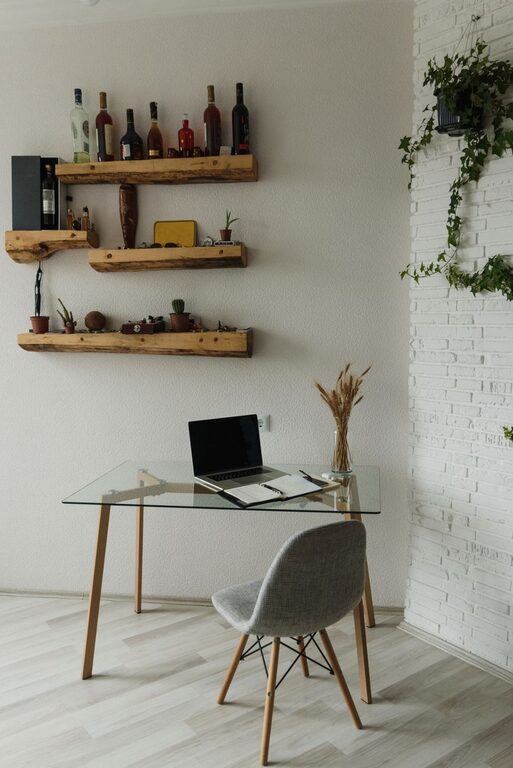
Creating a cozy and inviting home office space can greatly enhance your work experience, whether you work from home full-time or just sometimes. A well-designed office not only helps you stay productive but also boosts your mood and reduces stress. Here are some practical tips to help you turn your home office into a comfortable and inviting space.
Choose the Right Location
Finding the best spot for your home office is the first step. Ideally, pick a quiet area with minimal distractions. If possible, choose a room with natural light, as this can improve your mood and energy levels throughout the day.
Tips for Location:
– Avoid busy or noisy areas like the kitchen or living room.
– Consider a spare bedroom, nook, or corner with enough space for your desk and storage.
– If space is limited, use a room divider or screen to carve out a dedicated workspace.
Invest in Comfortable Furniture
Comfort is key for long hours spent working. A good chair with proper support can make a big difference in preventing back and neck pain.
Important Furniture Features:
– Ergonomic chair with adjustable height and lumbar support.
– Desk at a comfortable height with enough surface area for your tools.
– Add a footrest or cushion as needed to maintain good posture.
Personalize Your Space
Adding personal touches makes your office feel inviting and unique. It also helps create a positive atmosphere that inspires creativity and focus.
Ideas to Personalize:
– Display artwork, photos, or motivational quotes that you love.
– Use decorative storage boxes or shelves to keep supplies organized.
– Include a small plant or two; greenery can reduce stress and improve air quality.
Optimize Lighting
Good lighting is essential, especially if you spend long hours working on a computer or reading.
Lighting Tips:
– Maximize natural light by positioning your desk near windows.
– Use soft, warm light bulbs instead of harsh fluorescents.
– Include adjustable task lighting like a desk lamp for focused work.
– Avoid glare on computer screens by adjusting window treatments or screen position.
Keep It Organized
A clutter-free workspace helps you think clearly and find what you need quickly. Establish a simple organization system.
Organization Strategies:
– Use trays, containers, or drawer organizers for small office supplies.
– Label files or folders for easy document retrieval.
– Schedule weekly tidying sessions to maintain order.
– Keep cables and wires tidy with clips or sleeves.
Add Comfort Elements
Small touches of comfort make your office space welcoming. Think about what will help you feel relaxed yet alert.
Comfort Ideas:
– Use a cozy rug under your desk or chair to add warmth.
– Keep a soft throw or blanket nearby for chilly days.
– Have a water bottle or favorite mug for tea or coffee accessible.
– Consider a small speaker for background music or calming sounds.
Create a Functional Layout
Arrange furniture and items to support your workflow and reduce unnecessary movement.
Layout Tips:
– Position your desk facing a window or a calming view if possible.
– Keep frequently used items within arm’s reach.
– Ensure there is enough space to move freely around your workspace.
– Leave room for occasional breaks, like a comfy chair for reading or brainstorming.
Make Technology Work for You
Ensure your technology setup supports productivity without creating stress.
Tech Setup Guidelines:
– Invest in a reliable computer, monitor, and accessories suited to your work.
– Consider wireless devices to reduce cable clutter.
– Use a good quality webcam and microphone for virtual meetings.
– Back up important work regularly to avoid data loss.
Set Boundaries and Routines
Designing your space is important, but so is creating habits that help you focus.
Tips to Maintain Boundaries:
– Set specific work hours and stick to them.
– Communicate your workspace boundaries to family or roommates.
– Take regular short breaks to refresh your mind.
– End your day by tidying your desk to signal the transition from work to personal time.
—
By enhancing your home office with comfort, organization, and personal touches, you create an environment that supports both productivity and well-being. Use these tips as a starting point, and customize your workspace to fit your unique needs and preferences. A cozy, inviting office makes working from home an enjoyable experience every day.