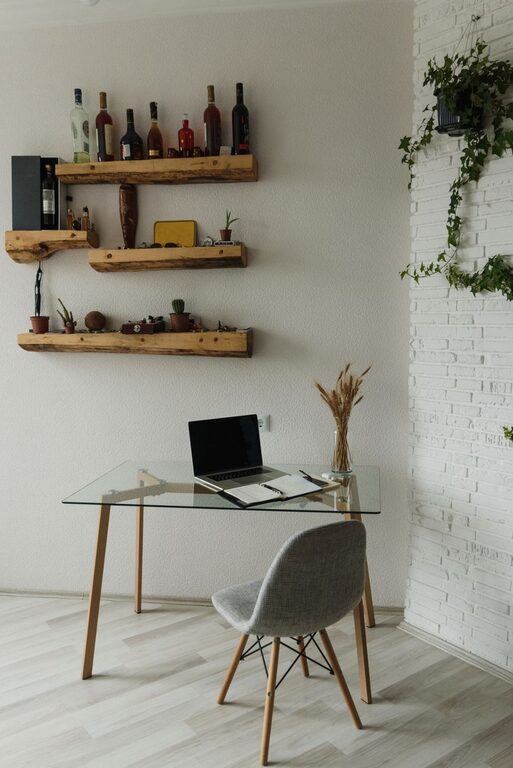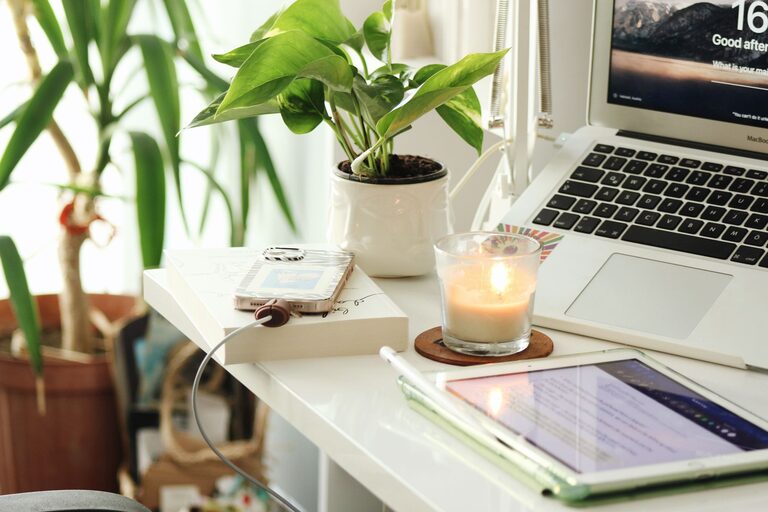
Creating a productive home office environment is essential for anyone who works remotely or wants to stay focused while managing tasks from home. A well-designed workspace can improve concentration, reduce stress, and increase overall work satisfaction. If you’re setting up or optimizing your home office, these useful tips will help you create a space that inspires efficiency and comfort.
Choose the Right Location
Finding the perfect spot for your home office is the first step in boosting productivity. Ideally, select a quiet area away from household distractions such as the TV or busy living spaces.
– Natural Light: Aim for a location with plenty of natural light. Sunlight helps regulate your circadian rhythm, improves mood, and reduces eye strain.
– Privacy: If possible, choose a room with a door to help limit noise and interruptions during work hours.
– Space: Ensure the space supports the size of your desk, chair, and other equipment without feeling cramped.
Invest in Ergonomic Furniture
Comfort plays a significant role in how productive you can be. Ergonomic furniture supports good posture and can prevent discomfort or strain during long work sessions.
– Ergonomic Chair: Select a chair with adjustable height, lumbar support, and comfortable cushioning.
– Desk Height: The desk should allow your forearms to rest comfortably parallel to the floor.
– Monitor Placement: Position your monitor at eye level to avoid neck strain.
Keep Your Workspace Organized
A clutter-free workspace helps keep your mind clear and focused. Consider these organization strategies:
– Use Storage Solutions: Drawers, shelves, and organizers keep supplies like pens, paper, and cables in order.
– Minimalism: Keep only necessary items on your desk.
– Cable Management: Use clips or sleeves to prevent cables from tangling and creating mess.
Optimize Lighting
Good lighting reduces eye strain and keeps you alert throughout the day.
– Layered Lighting: Combine natural light with overhead and task lighting.
– Desk Lamp: Use an adjustable lamp to light up your immediate work area without glare.
– Avoid Screen Glare: Position your screen to reduce reflections from windows or lamps.
Enhance Your Internet Connection
A fast and stable internet connection is crucial, especially if your work requires video calls, cloud services, or large file transfers.
– Wi-Fi Positioning: Use a router placed near your workspace or consider a wired Ethernet connection.
– Backup Plan: Have a mobile hotspot or alternative connection ready if your internet goes down.
Personalize Your Workspace
Adding personal touches can make your workspace inviting and boost your mood.
– Plants: Indoor plants improve air quality and add a calming effect.
– Artwork or Photos: Choose images that inspire or relax you.
– Comfort Items: Cozy blankets, cushions, or a small diffuser can make your space feel welcoming.
Establish Work Boundaries
Setting clear boundaries helps separate your work life from personal life, which is especially important when working at home.
– Set Work Hours: Decide when your workday starts and ends to avoid burnout.
– Designate Work Zone: Stay physically and mentally within your workspace during work hours.
– Communicate: Let family or roommates know your schedule to minimize disturbances.
Take Regular Breaks
Breaks are vital to maintain focus and prevent fatigue.
– Use Timers: Try the Pomodoro technique—work for 25 minutes, then take a 5-minute break.
– Move Around: Stretch, walk, or do light exercises during breaks.
– Rest Your Eyes: Follow the 20-20-20 rule—every 20 minutes, look at something 20 feet away for 20 seconds.
Keep Supplies Within Reach
Reducing the time spent searching for materials keeps your workflow uninterrupted.
– Essential Items: Keep your most used items like notebooks, pens, chargers, and sticky notes near your desk.
– Digital Organization: Use cloud storage and well-organized folders to quickly access digital files.
Maintain Cleanliness
A clean workspace promotes a clear mind and reduces distractions.
– Daily Tidy-Up: Spend a few minutes cleaning your desk at the end of each day.
– Regular Deep Cleaning: Dust surfaces, vacuum or sweep floors, and sanitize your equipment weekly.
—
By prioritizing these tips, you can transform your home office into a productive and enjoyable workspace. Remember, the best environment is one that fits your personal work style while supporting focus and comfort. Happy working!